
Linking multiple stores
When you have multiple related ACF installations, like multiple language shops, shops for different regions, or shops for different environments (test, staging, live), you can link your ACF installations together for easy management of custom field definitions.
Linking a store
Section titled “Linking a store”Choose the store you’d like to use as the “master store”. From that store’s admin, open Settings in the app’s left-hand navigation and scroll to the Stores section.
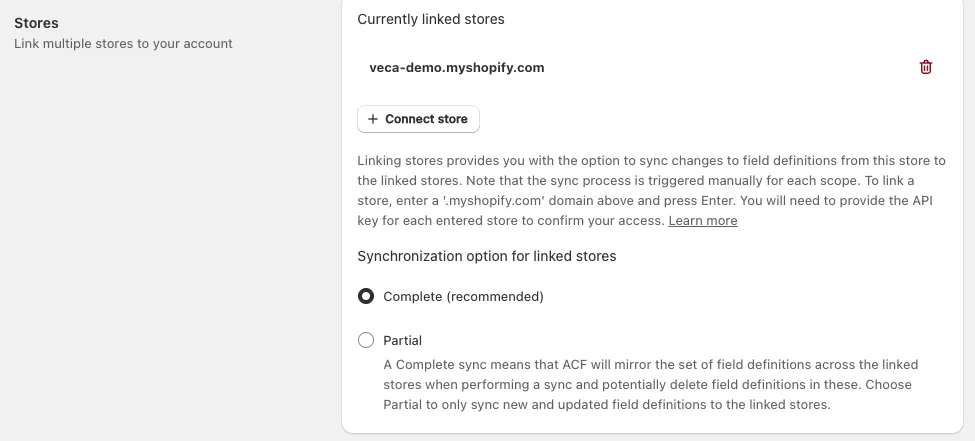
Currently linked stores lists every store that is already linked, each with a delete icon to unlink it again.
To add another one, click Connect store. This opens a small form with two fields:
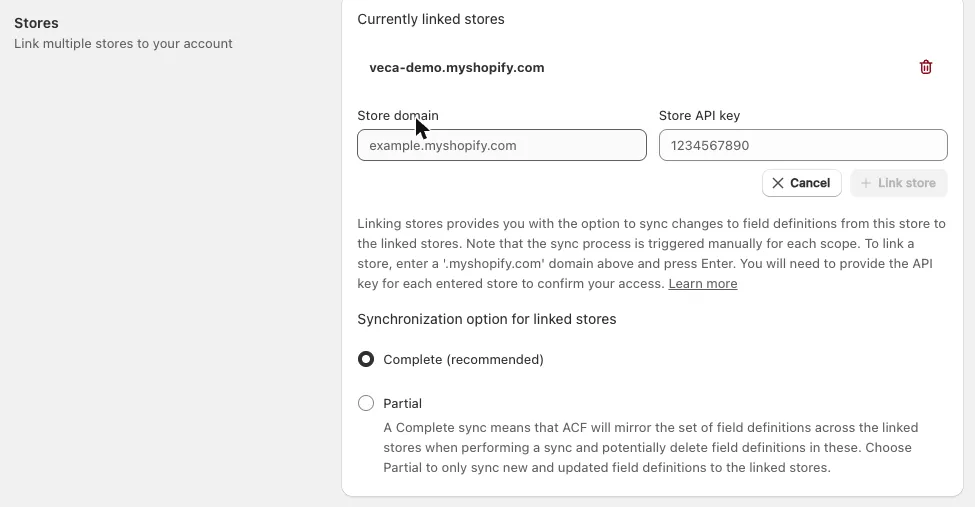
- Store domain: the full
.myshopify.comdomain of the store you want to link, for exampleexample.myshopify.com. - Store API key: the API key of that store, which verifies you have access to it. You’ll find it in the Plan section of that store’s own ACF settings, next to Copy API key.
Once both fields are filled in, the Link store button becomes available. Click it to add the store to the list, or Cancel to discard the form. Add more stores in the same manner.
Choosing a synchronization option
Section titled “Choosing a synchronization option”Below the store list, Synchronization option for linked stores controls how much a sync is allowed to change in the target stores:
- Complete (recommended): ACF mirrors the set of field definitions across the linked stores, and may delete field definitions in them that are not part of the set being synced.
- Partial: only new and updated field definitions are synced to the linked stores, and nothing is deleted.
Syncing field definitions to linked stores
Section titled “Syncing field definitions to linked stores”Syncing is always triggered manually, and it is done per scope - so you sync your product fields, your collection fields and so on separately.
Open the custom fields page for the scope you want to sync (for example Product Custom fields) and use the Sync dropdown in the page’s top toolbar:

The dropdown lists one entry per linked store, in the form Sync to <store>.myshopify.com. Choosing one pushes that scope’s field definitions from the current store to the store you picked. If you don’t sync right away, you can always come back to this page and do it later.