
Recently Viewed Products
Turn browsing into buying with the Recently Viewed Products theme app extension from Accentuate Custom Fields. By automatically displaying items customers have previously viewed, it helps drive upsells, cross-sells, and keeps shoppers engaged throughout their journey. It works with any theme, takes only a few clicks to set up, and runs fully independently—so once it’s enabled, it keeps delivering value without any extra work.
How to activate extensions?
Section titled “How to activate extensions?”To quickly activate the “Recently Viewed Products” extension, please follow these steps:
Step 1: Navigate to your Online Store.
Section titled “Step 1: Navigate to your Online Store.”Go to: Shopify Admin → Online Store
Step 2: Select the theme you wish to modify
Section titled “Step 2: Select the theme you wish to modify”Go to: Themes → Select a theme → Edit theme
Pro Tip: We strongly recommend duplicating your theme and implementing changes there first.
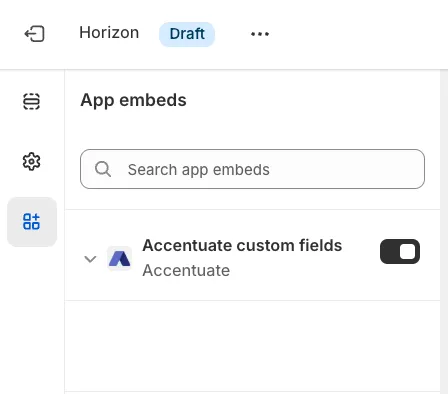
Step 3: Enable the Theme App Embed
Section titled “Step 3: Enable the Theme App Embed”This step is mandatory for the extension to function correctly.
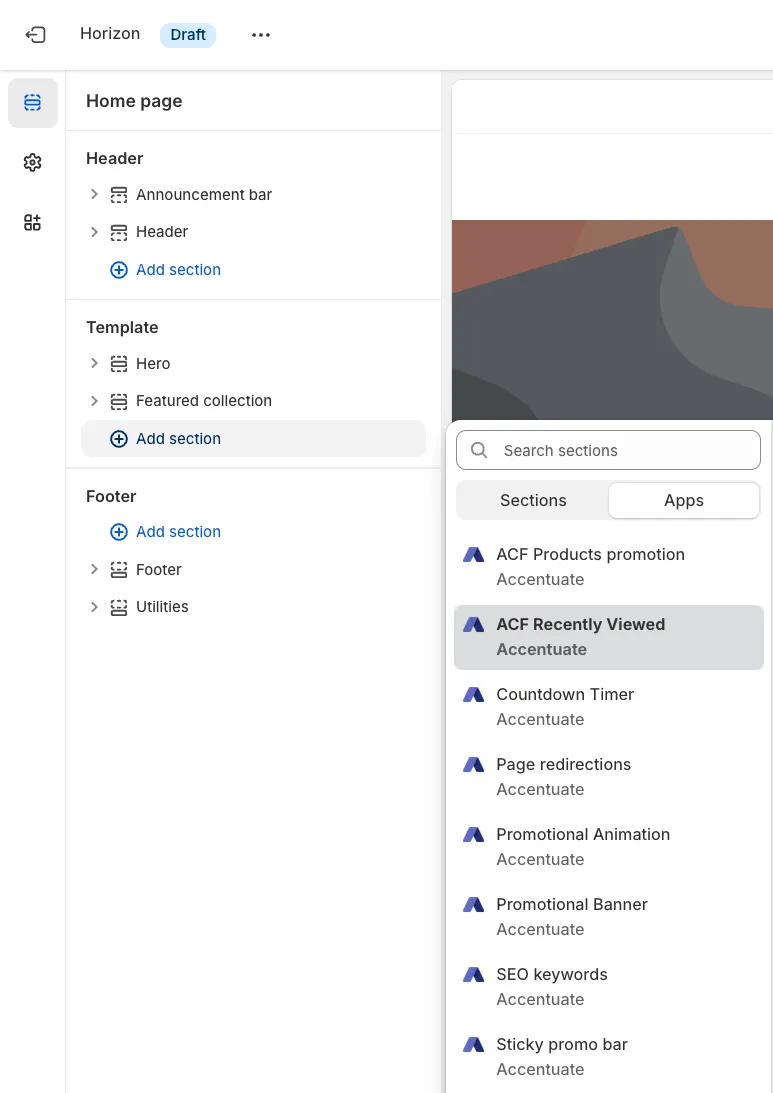
Step 4: Insert the “ACF Recently Viewed” block where you want the viewed product cards to appear
Section titled “Step 4: Insert the “ACF Recently Viewed” block where you want the viewed product cards to appear”Tip: Choose the placement carefully – Display the Recently Viewed Products section where customers naturally continue browsing, such as below the product details, near the cart section, or at the bottom of product pages. Strategic placement increases the chances of customers revisiting items they were interested in.
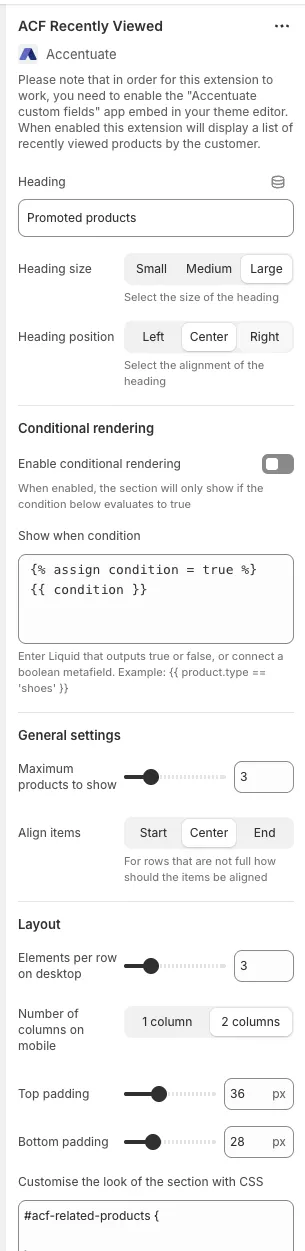
Configure your preferences
Section titled “Configure your preferences”Adjust settings like font size, conditional rendering, and general layout options via the menu.
5. Save and preview the changes
Section titled “5. Save and preview the changes”Note: The “ACF Recently Viewed Products” feature will automatically update whenever you visit a product page.