
Changelog
All notable user-facing changes to Accentuate are listed here, organized by quarter. Smaller fixes, translations, and behind-the-scenes work aren’t included.
Q3 2026 (Jul – Aug)
Section titled “Q3 2026 (Jul – Aug)”- New: Pin a metafield definition directly from Shopify Admin for quicker access.
- Improved: Filter creation and selection experience is easier to navigate.
- Improved: Webhook dashboard redesigned for a cleaner, more consistent look.
- Improved: Media fields now support configurable file size limits and required file types.
- New: Guided walkthrough added for the automations tab.
- Added support for Shopify’s beta admin languages.
Q2 2026 (Apr – Jun)
Section titled “Q2 2026 (Apr – Jun)”- New: Flow integration — trigger automations from product and order changes, with a dedicated Flow page to manage them.
- New: Guided product tours added throughout the app to help you get up to speed faster.
- New: Timeline view for tracking changes over time.
- New: Store sync button for keeping multiple stores aligned.
- Improved: Activity log search is faster and easier to use.
Q1 2026 (Jan – Mar)
Section titled “Q1 2026 (Jan – Mar)”- Improved: Clearer Pro / Pro Plus plan labeling across version history and webhooks.
- Improved: Refreshed dashboard icons.
Q4 2025 (Oct – Dec)
Section titled “Q4 2025 (Oct – Dec)”- New: Theme extensions, expanding what you can customize in your store’s theme.
- Improved: Free-plan users now see clear visual indicators of their plan status.
- Updated to the latest Shopify Admin API.
Q3 2025 (Jul – Sep)
Section titled “Q3 2025 (Jul – Sep)”- New: Redesigned dashboard.
- New: Feature spotlight — get notified in-app when new features launch.
- Improved: Expanded language support.
Q2 2025 (Apr – Jun)
Section titled “Q2 2025 (Apr – Jun)”- New: Settings and Activity Log pages redesigned for a cleaner experience.
- New: HTML editor available directly in the field editor.
- Improved: Backend infrastructure upgraded to improve reliability and performance.
Q1 2025 (Jan – Mar)
Section titled “Q1 2025 (Jan – Mar)”- Improved: Billing page redesigned for clarity.
- Improved: Reference Manager and navigation translated into more languages.
Older changes (before 2025)
Q4 2024 (Oct – Dec)
Section titled “Q4 2024 (Oct – Dec)”- New: 3D model support for Shopify products.
- New: Taxonomy filtering.
- New: Discount code usage tracking.
Q3 2024 (Aug – Sep)
Section titled “Q3 2024 (Aug – Sep)”- New: Metaobject Editor launched.
- New: Reference Manager launched.
May 2023
Section titled “May 2023”Export and import Shopify product and collection references as handles
Section titled “Export and import Shopify product and collection references as handles”ACF now offers an option to export values of Shopify product and collection reference fields as their corresponding handles to allow for a subsequent import into another store. This change will make it easier for multi-store merchants to work with Shopify’s native reference fields across multiple stores.
March 2023
Section titled “March 2023”Metaobject and Mixed reference fields
Section titled “Metaobject and Mixed reference fields”You can now use ACF to manage references to your Metaobjects in Shopify.
October 2022
Section titled “October 2022”New resizing engine
Section titled “New resizing engine”ACF now uses TwicPics as the underlying transformation engine to deliver resized, cropped and otherwise visually transformed images. TwicPics features a set of easy to use transformation options, not unlike the syntax used in Liquid for the Shopify image_url filter.
This article covers the details.
May 2022
Section titled “May 2022”Support for Shopify Metafields “List” types and limits
Section titled “Support for Shopify Metafields “List” types and limits”ACF now support the native metafields of the “List” types (i.e. when you select “Accept list of values” for a metafield definition in Shopify). These fields will automatically be “repeatable” in ACF.
There is also now the option to limit the number of occurrences for repeatable fields and for the number of items selectable in multi-select fields as well.
April 2022
Section titled “April 2022”Export of “seo.hidden” metafield
Section titled “Export of “seo.hidden” metafield”For products, collections, pages, blogs and articles, it’s now possible to export a column for the special metafield “seo.hidden”. This metafield holds a value of ‘1’ for any of the mentioned objects marked as hidden from your store’s sitemap or in search results within your store. The values can be modified in bulk (remove the ‘1’ to reinstate visibility) and imported back into this store or to another store.
November 2021
Section titled “November 2021”Version Control
Section titled “Version Control”As part of a new Plus subscription plan, ACF can now automatically keep track of your changes to custom fields - including images - allowing you to restore to any version recorded within the last 90 days and quickly recover from accidental deletes or misconfiguration.
Webhooks
Section titled “Webhooks”As part of a new Plus subscription plan, ACF can now send webhook notifications on metafield updates to any HTTP endpoints of your choosing. You can for example send your webhooks to an automation service such as Zapier or IFTTT and have them work as triggers in a workflow.
October 2021
Section titled “October 2021”Introducing: Image Editor
Section titled “Introducing: Image Editor”ACF now features an image editor for use with Media v2 fields allowing for quick access to crop, resize, color filter and otherwise finetune images directly as part of the upload process.
You can enable the editor on a per-field basis from the field definition dialog for Media v2 fields:

The image editor will automatically be presented when uploading an image to a Media v2 field:
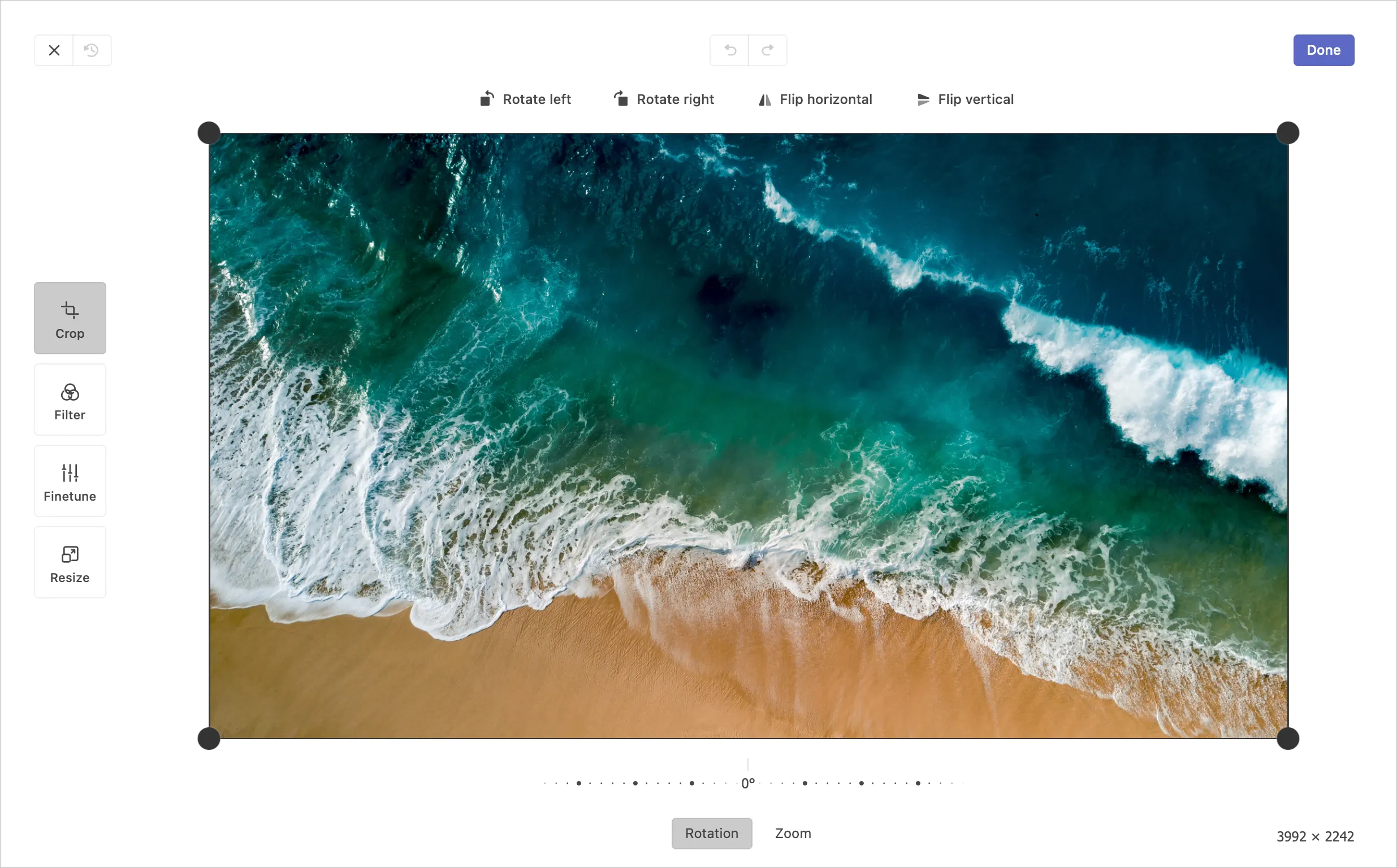
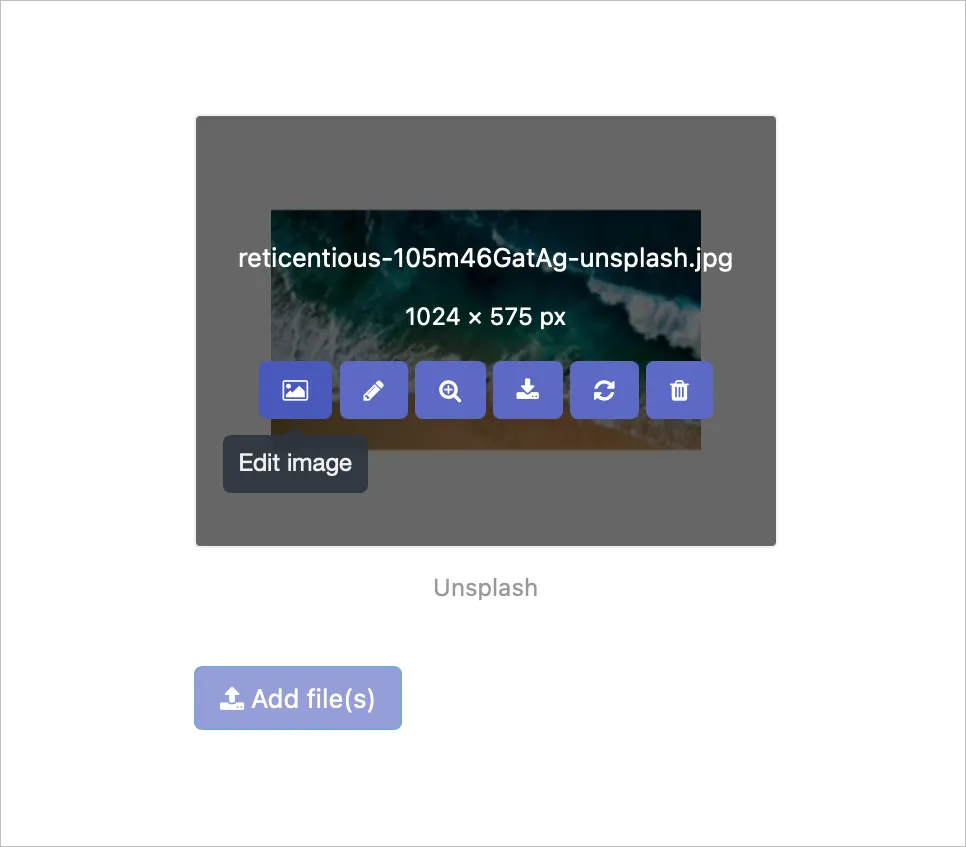
but you can also access it from the action buttons when hovering over the thumbnail of an already uploaded image:
Introducing: Activity logs
Section titled “Introducing: Activity logs”ACF now features an Activity log to keep track of your imports and exports of custom fields:

Via the Activity log you can view status of all current and historic activities, download files created from exports as well as recover files used for imports back in time. Any errors encountered during an import is also available as part to the activity history.
An often asked about feature has found its way into the activity log - you can now stop already running activities at any time:

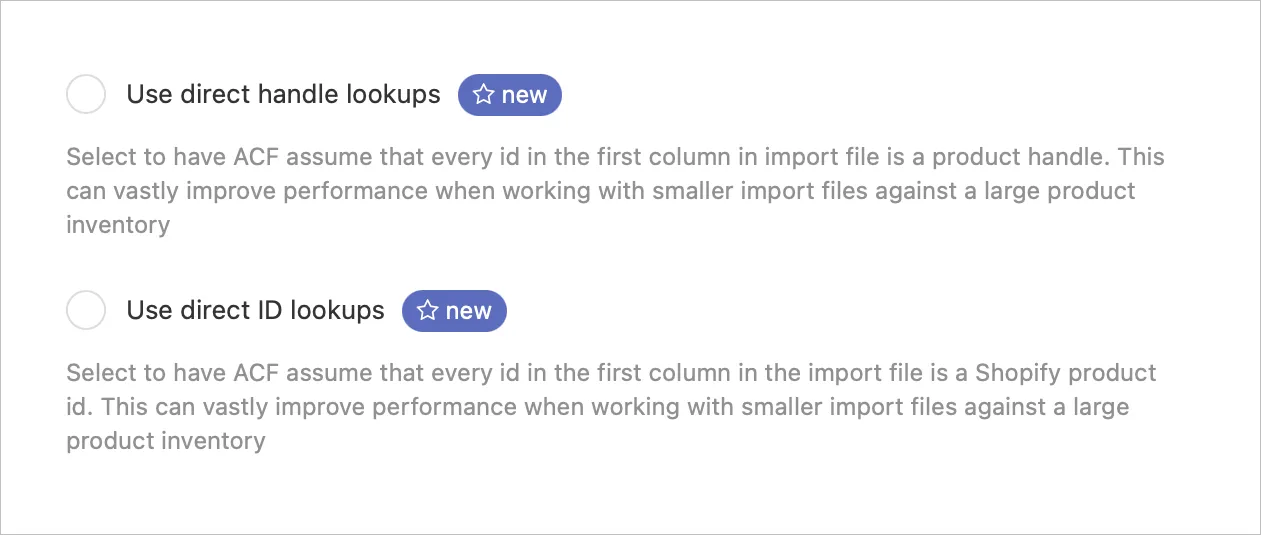
Additionally, the ACF import dialog now features a choice of “strategies” for speeding up imports of products, variants, customers and orders.
Telling ACF directly how your import file is organized can offer vastly improved performance when working with smaller import files against larger inventories:
Introducing: Automatic handling of large sets of repeatable values
Section titled “Introducing: Automatic handling of large sets of repeatable values”ACF is now able to handle repeatable fields exceeding the 100,000 characters storage limit set by Shopify.
By distributing your content across multiple individual metafields, ACF is able to work around this limitation that has proven to be a challenge for some users with large sets of repeatable fields.
This feature is something you will need to enable on a per-field basis as the theme handling will be slightly different. You will find this setting for all fields types that can be defined as repeatable.
You can read more about this feature here.